
An MP3 converter is a tool that changes audio or video files into the universal MP3 format, and in 2026, your best options are browser-based tools like CloudConvert for control, Zamzar for reliability, or FFmpeg if you want speed and privacy. Below, I'll walk you through exactly how to pick one, use one, and avoid the common mistakes that waste your time.
Let's be honest — you've probably typed "mp3 converter" into Google at 2 AM, desperate to turn some weird audio file into something your phone will actually play. I've been there. And after testing dozens of tools, digging through reviews, and burning way too much coffee, I put together this guide to save you the hassle.
By the way, if you're the kind of person who's always hunting for the right software for a task, you'll probably also like browsing top free AI tools worth trying in 2026 — a lot of the same "free vs. paid" logic applies there too.
Why MP3 Is Still King (Even in 2026)
You'd think with all the fancy new formats floating around, MP3 would be dead by now. Nope. Not even close.
Here's the deal: according to a 2026 review by ThimPress, MP3 remains essential because streaming platforms, podcasts, and audiobooks all rely on it for cross-device compatibility, while formats like WAV and FLAC sound incredible but come with a catch — they're massive files that eat up storage fast.
That's the whole reason audio compression matters so much. You want quality, sure, but you also want your phone to have room for, you know, actual apps.
Quick Format Breakdown
WAV files — uncompressed, huge, perfect for studio work
FLAC files — lossless, still pretty big, great for audiophiles
MP3 files — compressed, tiny, plays literally everywhere
So if you're choosing between "sounds perfect but takes forever to upload" and "sounds great and just works," I get why you're leaning MP3.
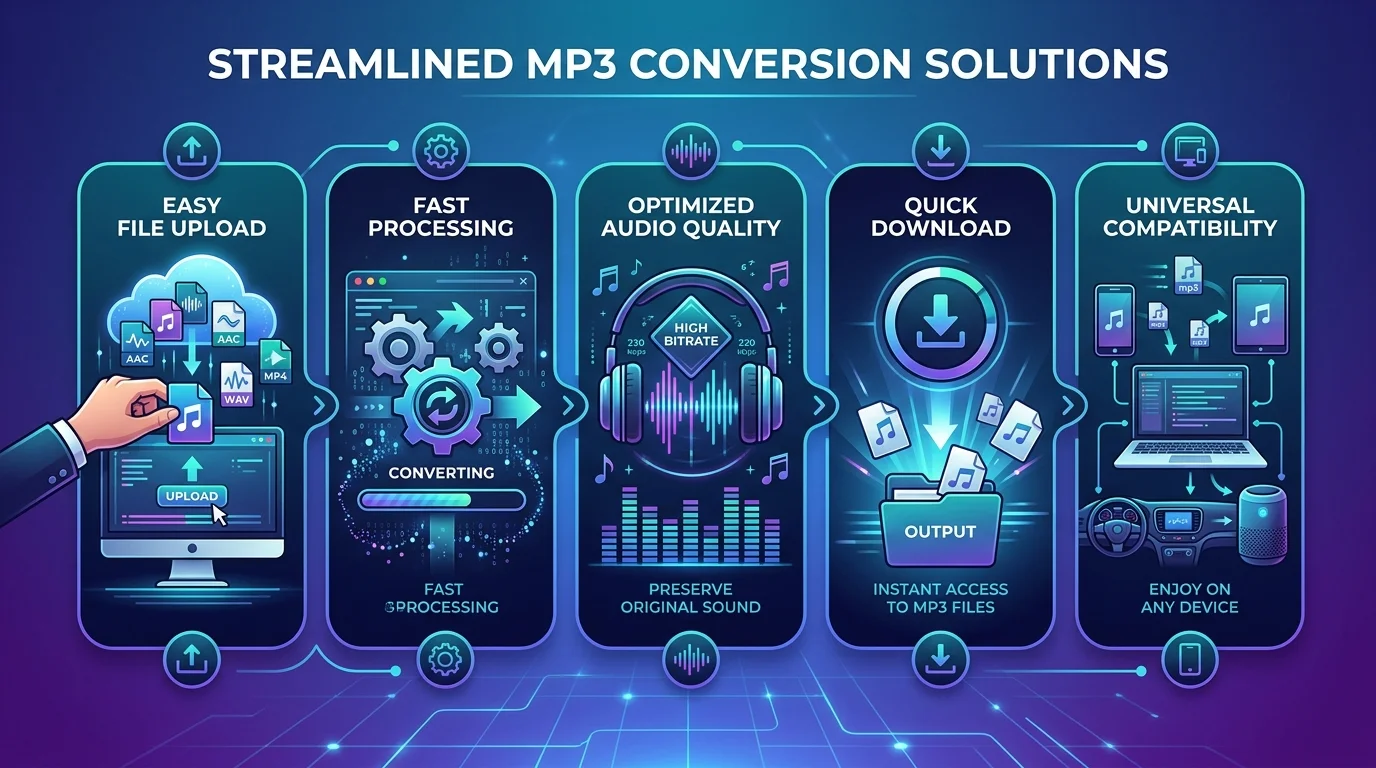
Step-by-Step: How to Convert Any File to MP3
Alright, let's get into the actual how-to. I promise this is easier than it sounds.
Step 1: Pick Your Converter Type
First things first — you need to decide between a browser-based converter and desktop audio conversion software. This choice matters more than people think.
For Quick, One-Off Conversions
If you're doing a quick, one-off conversion, a free online audio converter is your best friend. No downloads, no waiting, no clutter on your hard drive.
For Regular, High-Volume Use
If you're converting dozens of files regularly (like a podcaster or musician), desktop software with batch conversion capability will save you hours.
Step 2: Upload Your File
This part's simple. Most tools let you drag and drop your file straight into the browser window. CloudConvert, for example, even lets you pull files directly from Google Drive or Dropbox — a small thing that makes a big difference when you're in a hurry.
Step 3: Choose Your Output Settings
Here's where most people mess up — they skip this step entirely.
You'll want to pay attention to:
Bitrate settings (higher bitrate = better sound, bigger file)
Sample rate (affects audio clarity)
Variable bitrate (VBR) vs constant bitrate (CBR) — VBR adjusts dynamically for better efficiency
Tools offering advanced audio settings like bitrate, sample rate, and channel configuration give you far more control than basic converters that just spit out a default file.
Step 4: Download (or Skip That Step Entirely)
Once your conversion finishes, download your new MP3 file and you're done. Some newer tools process everything locally in your browser, meaning your files never touch a server — a nice bonus if privacy matters to you.
Named Tool Comparison: Which MP3 Converter Should You Actually Use?
I know — every "best of" list throws ten tools at you and calls it a day. Here's the honest, condensed version based on what actually matters: price, limits, and control.
Tool | Free Limit | Best For | Notable Feature |
|---|---|---|---|
CloudConvert | 25 conversions/day, 1GB cap | Control freaks who want advanced settings | Bitrate, sample rate, channel config, developer API |
Zamzar | 2 files/day, 50MB cap | Occasional, quick conversions | Running reliably since 2006 |
Movavi Online Converter | 100MB upload limit | Simple, no-frills conversions | No plugins or installs needed |
Audio Converter AI | No login required | Fast, friction-free conversions | Works with WAV, M4A, MP4, OGG, FLAC |
FFmpeg (command-line) | Free, unlimited | Developers and power users | Fastest processing, full local privacy |
CloudConvert supports 25 free conversions per day and stands out for advanced settings like bitrate, sample rate, and channel configuration that most online tools skip, plus a developer API for integrating conversion into other applications. Zamzar, meanwhile, has been converting files online since 2006, with a free tier limited to 2 files per day and a 50MB cap, while paid plans start around $18/month for higher limits.
The Best Use Cases for an MP3 Converter
Now, you might be wondering — do you actually need one of these tools? Let me break down the most common scenarios.
Converting Video to Audio
Got a video with a killer soundtrack or interview you want as a standalone file? A video to MP3 converter does exactly that — it strips the audio out and hands you a clean, playable file.
YouTube and Streaming Rips
This one's huge. People constantly search for a YouTube to MP3 converter because MP3 players can't play YouTube directly, so you need the audio pulled out and converted into a file you can transfer and play offline on any device.
Just a heads-up: always use these tools for personal, non-commercial use — that's the responsible way to go about it.
Podcast and Audiobook Management
If you're managing a growing podcast library, converting everything to a consistent MP3 format keeps your files organized and playable across every device you own.
Free vs. Paid: What's the Real Difference?
Look, I'll be straight with you — free tools are great, but they come with limits.
As shown in the comparison table above, free tiers typically cap you at anywhere from 2 to 25 conversions per day, with file size limits ranging from 50MB to 1GB. That's fine for occasional use, but if you're converting regularly, you'll hit that ceiling fast.
Paid plans typically remove those daily limits and unlock batch processing, meaning you can convert dozens of files at once instead of babysitting one upload at a time.
Here's my honest take: if you convert audio more than a couple times a month, investing in a premium MP3 converter pays for itself in saved time alone.
Choosing the Right Tool for You
So which one should you actually pick? Here's the cheat sheet I use myself:
Your Priority | Best Option |
|---|---|
Privacy | Desktop tools or FFmpeg |
Speed | Command-line tools like FFmpeg |
Large files | Avoid free online tools |
Sound quality | Custom bitrate settings (CloudConvert) |
Convenience | Browser-based converters (Movavi, Audio Converter AI) |
If narrowing down software options is a struggle for you in general, you might find this guide to the best AI tool directories useful for discovering vetted tools across categories beyond just audio.
Common Mistakes to Avoid
Before you go convert your entire music library, let me save you from a few headaches:
Don't ignore bitrate settings — the default isn't always the best choice for your needs
Don't upload sensitive files to random sites — stick to trusted platforms with HTTPS connections
Don't forget about file size caps — check the limit before you start a big batch
Don't skip reviews — a quick search saves you from sketchy, ad-heavy converters
Frequently Asked Questions
Is it legal to convert MP3 files?
Yes, converting files you own or have rights to is legal. Converting copyrighted streaming content (like YouTube videos) is only advisable for personal, non-commercial use — check the platform's terms of service first.
What's the best bitrate for MP3 conversion?
For most everyday listening, 192-320 kbps gives you a strong balance between sound quality and file size. Audiophiles and professionals typically go with 320 kbps or lossless formats like FLAC instead.
Can I convert MP3 files without installing software?
Yes — browser-based tools like CloudConvert, Zamzar, and Audio Converter AI let you convert directly in your browser with no downloads required.
What's the difference between VBR and CBR?
VBR (Variable Bitrate) adjusts the bitrate dynamically based on audio complexity, giving you better efficiency. CBR (Constant Bitrate) keeps a fixed rate throughout, which is simpler but slightly less space-efficient.
Are free MP3 converters safe to use?
Generally yes, as long as you stick to established, reputable tools with HTTPS connections. Avoid sites with excessive pop-up ads or that ask for unnecessary permissions.
Final Thoughts: Is It Worth Using a Premium MP3 Converter?
Honestly? Yes. If audio conversion is even a semi-regular part of your workflow, a solid MP3 converter — especially one with batch conversion, developer API access, and reliable bitrate control — is worth every penny.
You'll save time, avoid daily upload caps, and get consistently better sound quality than you would fumbling through free tools with strict limits.
At the end of the day, the right converter isn't about flashy features — it's about getting your audio into a format that works, sounds great, and doesn't waste your afternoon.
Found this helpful? Share it with others who might benefit from these insights!
Submit Your AI Tool