
Quick answer: To check your Amazon gift card balance, sign in to Amazon.com, hover over Account & Lists, click Gift Cards, and your balance shows right at the top of the page. You can also check it in the Amazon Shopping app under your account icon. Below, I'll walk you through both methods step by step, plus what to do if your balance isn't showing up, how to spot a scam, and answers to the most common questions people ask.
Okay, so you got an Amazon gift card — maybe as a birthday present, maybe as a work bonus, maybe you just bought one for yourself (no judgment). And now you're staring at it, wondering: how much money is actually on this thing?
I've been there.
You'd think checking a balance would be simple. And honestly? It kind of is — once you know where to look. But here's the thing: Amazon doesn't exactly make this obvious, and there's a lot of outdated or flat-out wrong advice floating around the internet about it.
So I dug into this properly. I checked Amazon's own official help pages, cross-referenced a bunch of independent guides, and pulled together everything you actually need to know.
By the end of this post, you'll know exactly how to check your Amazon gift card balance, what to do if it's not showing up, how to avoid a nasty scam that's been going around, and what to do with an unredeemed claim code.
Let's get into it.
Why Checking Your Amazon Gift Card Balance Matters More Than You Think
I know, I know — it sounds like a small thing. But hear me out.
A shocking number of people forget they even have gift card balance sitting in their account. Seriously. According to Tom's Guide, plenty of shoppers redeem a card, get distracted, and never fully spend it down. That's real money just... sitting there. Doing nothing.
And it's not just Amazon — the same thing happens with Starbucks gift cards, where people forget about balances all the time too.
And in this economy? You want to squeeze every dollar out of what you already have before reaching for a credit card.
There's also a safety angle here. Knowing how to check your Amazon egift card balance the right way protects you from scam sites that promise instant balance checks — more on that nightmare a little later. (If you haven't already, it's also worth reading up on general Amazon account security so your balance — and everything else tied to your account — stays protected.)
So yeah. This matters. Let's fix it.
Website vs. App: Checking Your Amazon Gift Card Balance Side by Side
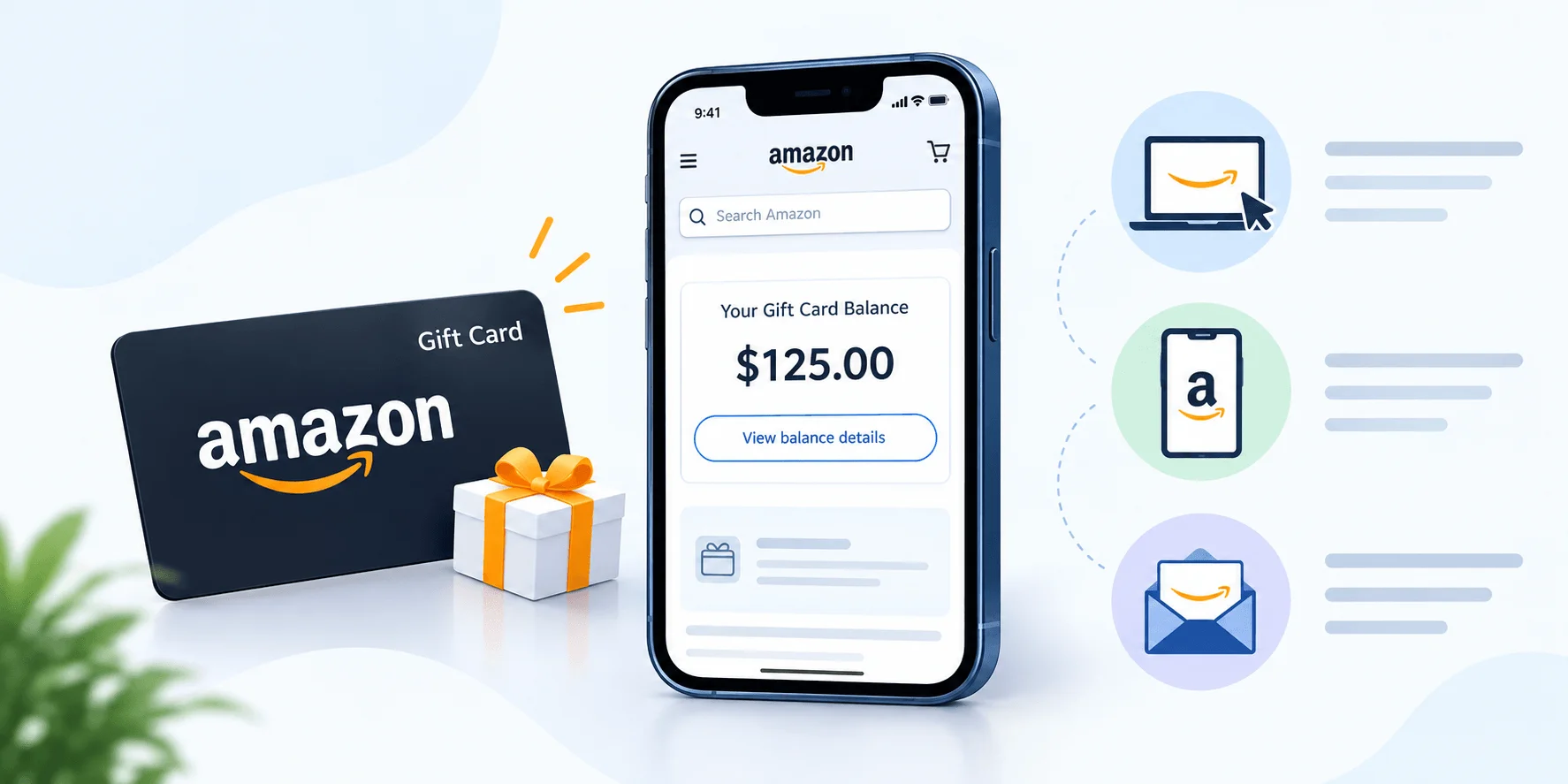
Before I walk through each method in detail, here's a quick side-by-side so you can jump straight to whichever device you're using:
Step | Website | Amazon Shopping App |
|---|---|---|
1 | Sign in at Amazon.com | Open the app, confirm you're signed in |
2 | Hover over Account & Lists | Tap the account (person) icon at the bottom |
3 | Click Gift Cards | Scroll to Gift Card Balance |
4 | Balance shows at the top | Balance shows at the top |
Shortcut | amazon.com/gc/balance | N/A |
Now let's break each one down properly.
Method 1: Check Your Amazon Gift Card Balance on the Website
This is the fastest, most reliable way to do it — and it takes less than a minute.
Here's what you do, step by step:
Head over to Amazon.com and sign in with the account you want to check.
Hover over Account & Lists in the top-right corner.
Click Gift Cards from the dropdown.
Your Amazon gift card balance will be sitting right at the top of the page.
Pretty painless, right?
There's also a direct shortcut worth bookmarking: amazon.com/gc/balance takes you straight to the balance page without the extra clicks. I use this one myself now because, honestly, digging through account menus gets old fast.
Below your balance total, you'll also see your gift card activity — basically a running log of every code you've redeemed and every order that pulled money from your balance. This is super handy if your balance ever looks lower than you expected and you want to figure out why.
What If My Gift Card Has No Value Printed On It?
This trips a lot of people up.
Some physical Amazon gift cards purchased through Amazon don't come with a visible dollar amount on the front. Frustrating, I know. But there's a workaround, straight from Amazon's official support page:
Go to Your Orders
Find the original gift card order
Compare the 16-digit serial number listed in the order details to the one printed on the back of the physical card
If they match, boom — you now know exactly what that card is worth.
Method 2: Check Your Balance Using the Amazon Shopping App
Prefer doing everything from your phone? Same here, most days.
Checking your Amazon gift card balance through the mobile app is just as quick:
Open the Amazon Shopping app and make sure you're logged into the correct account.
Tap the little person icon (account icon) at the bottom of your screen.
Scroll down until you spot the Gift Card Balance section.
Your current total displays right at the top.
One small tip that trips people up constantly: balances don't combine across accounts. If you've got a personal Amazon account and a work one, and you're not sure which account the card landed in, you'll need to check both individually. There's genuinely no way to merge them — I wish there was, but nope.
How to Redeem an Unredeemed Amazon Gift Card
Alright, so let's say your gift card hasn't been added to your account yet. It's just sitting there with a scratch-off code on the back.
Here's how you actually redeem an Amazon gift card, according to Amazon's redemption guide:
During checkout, select "Use a gift card, voucher, or promo code."
You'll see a spot to enter your claim code — that's the string of letters and numbers under the scratch-off panel (or in the body of the email, if it's a digital gift card).
Type it in carefully. Or better yet, copy and paste it to avoid typos.
Click Apply to your balance.
And that's it. The funds get added instantly, and they'll automatically apply to your next eligible order — unless you tell Amazon otherwise (which you can, by toggling off "Use your gift card balance" during checkout if you'd rather save it for something specific).
Quick but important note: you can't use a gift card balance to buy another gift card. Amazon blocks that outright, probably to prevent fraud loops. Good to know before you try it and get confused by the error. (For a deeper walkthrough on redemption edge cases, see our guide on how to redeem a gift card the right way.)
Important: There's No "Preview" Before Redeeming
Here's something a lot of guides gloss over, and it genuinely surprised me when I first researched it.
Once you type a claim code into Amazon's system — anywhere on the site — it redeems instantly. There's no confirmation screen. No "are you sure?" popup. It just applies to whatever account is logged in.
So if you want to check a card's value without committing it to your account (say, you're planning to gift it to someone else), you can't just look it up casually. Your only real option is contacting Amazon customer service directly and giving them the serial number.
Keep that in mind before you go typing codes into random balance-checker tools online. Which brings me to the next section — and honestly, this is the part I want you to pay closest attention to.
⚠️ The Amazon Gift Card Balance Scam You Need to Know About
I need to be blunt here because this one genuinely upsets me.
Amazon does not publish a public balance-checking API. That means no outside website can legitimately look up your card's value just by asking for the code. None. Zero. If a site promises "instant balance check, just enter your claim code" — that's not a balance checker. That's a gift card scam harvesting your code.
Here's how it usually plays out: you enter your code on one of these sketchy third-party pages, and within minutes, someone redeems it against their account, not yours. And because a redeemed balance can't be reversed or transferred once it's used, your money is simply gone. No refunds, no do-overs. Gift card fraud consistently ranks among the most-reported scam payment methods tracked by consumer protection agencies — which tells you how common this specific trick really is.
So please — only check your balance through:
Amazon.com directly
The official Amazon Shopping app
Or by calling Amazon customer service
If a page isn't one of those three, close the tab. I mean it. (If you want to go deeper on this, our gift card scam guide covers other red flags to watch for beyond Amazon specifically.)
Troubleshooting: My Amazon Gift Card Balance Isn't Showing Up
This happens more often than you'd think, and there are a few usual suspects.
The Balance Shows $0.00
If you check your Gift Card Balance and Activity page and it reads $0.00, it likely means the code was entered but never fully processed. Here's the fix:
Go back to the Gift Cards page in Your Account.
Click Redeem a Gift Card.
Carefully re-enter (or copy-paste) the claim code.
Click Apply to your balance again.
That usually resolves it.
"This Code Has Already Been Redeemed"
According to Cardtonic's troubleshooting breakdown, this error typically means one of two things: either you already redeemed it earlier and forgot, or someone else got to the code first.
Your move? Check your Amazon gift card balance page to confirm whether the funds landed in your account. If they're not there and you're confident nobody else had access to the code, that's worth escalating to Amazon support directly.
Wrong Account
This one's sneaky. If you share a device with a family member or use multiple Amazon accounts (personal, work, whatever), you might've accidentally redeemed the card to the wrong login.
Double-check which email address is signed in before you panic. Genuinely, I've done this myself — redeemed a card while logged into an old account I forgot existed. Lesson learned.
The Card Was Never Activated at the Store
If you bought a physical card in-store, it's possible the cashier simply forgot to scan and activate it at checkout — more common than it should be, honestly. If that's the case, you'll need to head back to the store with your receipt and ask them to activate it properly.
Amazon Gift Card Rules You Should Know
A few smaller but important rules that didn't fit neatly above:
Balances don't expire. Any Amazon.com gift card issued after October 2005 does not expire. Your balance just sits quietly in your account until you're ready to use it.
Promotional certificates aren't included in your gift card balance total — they're tracked separately, so don't be confused if the numbers don't quite line up.
International gift cards don't cross borders. An Amazon.com code won't work on Amazon.co.uk or Amazon.de accounts. If you're sending a gift to someone overseas, make sure you're buying from their specific marketplace.
Digital gift cards can be resent up to five times if they didn't reach the recipient's inbox — just check spam/junk folders first before assuming it's lost.
Keeping tabs on balances like this is honestly just good digital hygiene — the same logic applies if you're juggling money across other apps, like Cash App's mobile services.
Frequently Asked Questions
Does my Amazon gift card balance expire?
No. Amazon.com gift cards issued after October 2005 never expire, so your balance stays on your account indefinitely.
Can I check my Amazon gift card balance without logging in?
No. Balances are tied to your account, not the physical card, so you must sign in to view them. There's no legitimate way to check a balance anonymously — any site claiming otherwise is not affiliated with Amazon.
Why is my Amazon gift card balance showing $0.00?
Usually it means the claim code was entered but not fully processed. Go to Gift Cards → Redeem a Gift Card and re-enter the code carefully.
Can I transfer my Amazon gift card balance to another account?
No. Once redeemed, a gift card balance cannot be transferred between accounts or to a store in a different country.
Is there an official Amazon gift card balance checker app or website?
Yes — the only official methods are Amazon.com (Account & Lists → Gift Cards), the amazon.com/gc/balance shortcut, and the Amazon Shopping app. Any third-party "balance checker" that asks for your claim code is not official.
Final Thoughts
Look — checking your Amazon gift card balance really shouldn't be complicated, and honestly, once you know the steps, it isn't. The trickiest part is just knowing where to look and staying far away from shady third-party "balance checker" sites that are really just scams in disguise.
To recap quickly:
Use Amazon.com or the Amazon Shopping app — nothing else.
If your card has no visible value, cross-check the serial number through Your Orders.
Never enter a claim code on a site that isn't Amazon.
Remember, redeeming is instant and irreversible — there's no "preview" mode.
You've now got everything you need to track down every last dollar sitting in your Amazon account. Go check that balance — you might be pleasantly surprised by what's waiting there.
Found this helpful? Share it with others who might benefit from these insights!
Submit Your AI Tool