
A free AI photo generator turns text prompts into original images at no cost. The best options in 2026 are Google Gemini (highest free daily limit), Perchance (no sign-up, no watermark), and Ideogram (best for text-in-image). Most tools let you generate, download, and use images commercially — but licensing terms vary, so always check the fine print before publishing.
So you want to create stunning images without touching Photoshop or hiring a designer. I get it. That's exactly why free AI photo generators have exploded in popularity this year, and honestly, I don't blame anyone for jumping on this trend.
In this guide, I'm walking you through everything about using an AI image generator for free — why it's changing the game for creators, and how you can start generating professional-quality visuals in the next five minutes. If you want the fuller picture on the space beyond just free options, check out our complete AI image generator guide.
Let's get into it.
What Is a Free AI Photo Generator, Anyway?
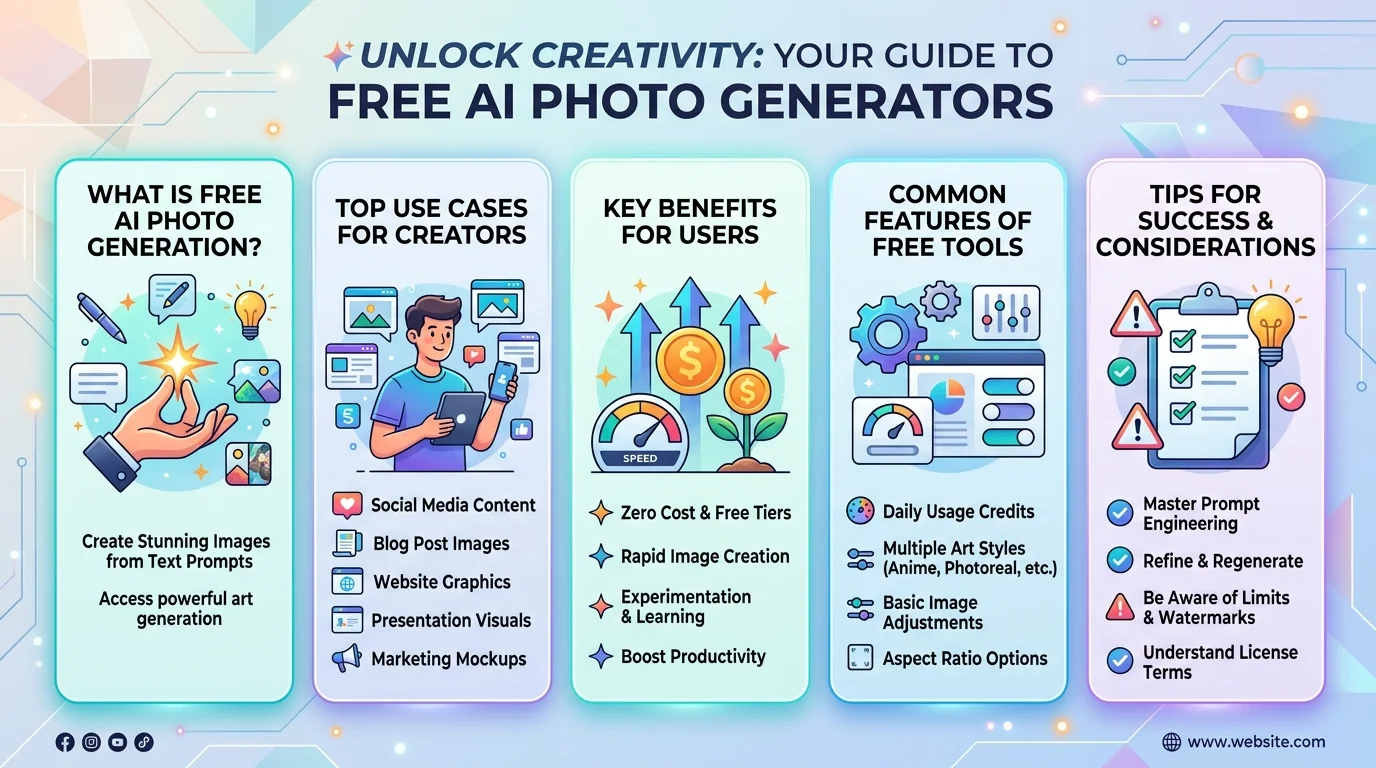
A free AI photo generator is a tool that turns your written words into actual images. You type a description. The AI does the rest. No design skills, no software, no cost.
These tools use deep learning models trained on millions of images to understand what "a golden retriever running through a sunset field" actually looks like, then build that image from scratch, pixel by pixel.
You just need an idea and a few words to describe it.
Why Everyone's Switching to AI Image Generation
Traditional photography and stock photos are expensive, slow, and honestly kind of boring at this point.
I've watched creators, marketers, and small business owners struggle with the same problem for years: they need fresh visuals, but they don't have the budget for a photographer or a stock photo subscription. AI-generated images solve that problem instantly.
The Numbers Don't Lie
This isn't some niche trend anymore. Over 15 billion AI images have been created since 2022, and when OpenAI rolled out image generation inside GPT-4o, users created 700 million images in a single week.
Adoption is accelerating too. By 2026, tools like Google Gemini, ChatGPT, Ideogram, Leonardo AI, and Stable Diffusion or FLUX have all matured into genuinely usable free options — each with its own strength, whether that's ease of use, text rendering, or local control.
That's not hype. That's mass adoption, and free tools are driving most of it.
Compare the Best Free AI Photo Generators (2026)
Here's a side-by-side look so you don't have to test every tool yourself.
Tool | Free Limit | Commercial Use | Best For |
|---|---|---|---|
Google Gemini (Nano Banana) | Up to 100 images/day, native 4K | Yes, with attribution | Highest free volume, photorealism |
Perchance | Unlimited, no sign-up, no watermark | Yes | Zero-friction quick generations |
Ideogram | Limited daily credits | Yes | Text-in-image accuracy |
ChatGPT Image Generator | Limited by plan | Yes | Beginners, conversational editing |
Adobe Firefly | Limited free credits | Yes, commercially safe by design | Brand-safe generation |
Recraft | Limited free credits | No — free plan images stay owned by Recraft | Vector graphics, logos, icons |
AI Free Forever | Unlimited, no sign-up | Yes | Access to 20+ models in one place |
Prices, limits, and licensing terms change often, so double-check each tool's current policy before you commit to a workflow. If Adobe's option catches your eye, our full Adobe Firefly review breaks down its free tier and commercial licensing in more detail.
How to Generate Your First AI Photo (Step-by-Step)
Ready to try it yourself? Here's exactly how to do it.
Step 1: Pick your tool. Start with something beginner-friendly like Gemini or Perchance. Don't overthink this part.
Step 2: Write a clear prompt. Describe your subject, setting, lighting, and mood. The more specific you are, the better your result will be.
For example, instead of "a woman in a park," try: "a woman in her 30s walking through a park at golden hour, soft natural lighting, candid photography style."
Step 3: Choose your style. Most tools let you pick between photorealistic, illustration, 3D, anime, or cinematic styles.
Step 4: Generate and compare. Most generators give you multiple variations per prompt. Compare them before settling on one.
Step 5: Refine your prompt. If something's off — lighting, composition, expression — tweak your wording and try again.
Step 6: Download and use it. Once you're happy, download your image and use it wherever you need it — social media, blog posts, ads, product mockups, you name it.
What Can You Actually Use These Images For?
Honestly? Almost anything.
Social media graphics that stop the scroll
AI product photography without a studio shoot
Blog post headers that actually look custom
AI headshots for professional profiles
Marketing visuals for campaigns and ads
Concept art for creative projects
If you run a small business, this alone can save you thousands of dollars a year in stock photo subscriptions and photography fees.
A Quick Word on Commercial Use
Before you go wild generating images for your business, pay attention to licensing.
Not every free tool gives you full commercial rights. Some platforms, like Recraft, retain ownership of images generated on the free plan, meaning you can't use them commercially unless you upgrade.
Other tools, like AI Free Forever and Perchance, are more generous and let you use free-tier images commercially right away. Always check the fine print before publishing anything for a client or a paid campaign.
Tips to Get Better Results Every Time
Want your images to look less "AI" and more polished? Try these:
Be specific about lighting — "soft studio lighting" beats "good lighting" every time.
Mention camera angles, like "close-up shot" or "aerial view."
Add mood descriptors — cinematic, cozy, dramatic, minimalist.
Avoid vague prompts. Vague in, vague out.
Generate multiple variations before picking a final image.
Small tweaks like these make a massive difference in your final output.
Frequently Asked Questions
Is a free AI photo generator actually free, or is there a catch? ‘
Most tools genuinely offer free generations, but limits vary — some cap daily images, others cap resolution, and some restrict commercial use unless you upgrade.
Can I sell or use AI-generated photos commercially?
It depends on the tool. Some platforms restrict commercial use on free plans, while others grant full commercial rights immediately. Always check each tool's licensing page.
Which free AI photo generator has the highest daily limit?
Google Gemini currently offers up to 100 free images per day with native 4K output, making it one of the most generous options available.
Do I need to sign up to use these tools?
Not always. Tools like Perchance require no sign-up, no login, and add no watermark to your images.
Are AI-generated images good enough for professional use?
Yes, for many use cases — headshots, product mockups, marketing visuals, and social graphics all hold up well, especially with photorealistic models like Gemini's Nano Banana or FLUX.
What's the difference between AI image generators and stock photo sites?
Stock sites give you pre-existing photos; AI generators create original images from your exact description, so you're not limited to what already exists.
Why You Should Start Using an AI Photo Generator Today
If you're still relying on generic stock photos or paying for expensive shoots, you're leaving time and money on the table.
A free AI photo generator gives you unlimited creative flexibility, no cost barrier, and results that genuinely rival professional photography for a huge range of use cases.
You don't need to be a designer. You don't need a big budget. You just need a good prompt and a few minutes.
So go ahead — pick one of the tools from the comparison table above, type in your first idea, and see what comes out. I think you'll be surprised at how good it looks.
Read Also: Free AI Baby Generator: Does It Really Work? 2026.
Found this helpful? Share it with others who might benefit from these insights!
Submit Your AI Tool