
Venice AI is a private AI chatbot and creative platform, launched in May 2024 by ShapeShift founder Erik Voorhees. It gives you text, image, video and audio tools, and its privacy depends on which model you pick. Venice says it doesn't log your prompts and keeps your chat history in your browser.
What Is Venice AI (And Why Is Everyone Talking About It)?
So, what is Venice AI in plain English?
Picture one app that bundles chat, image creation, video, audio and code help behind a privacy-first design. It launched publicly in May 2024, according to Decrypt. Today it's a multi-model AI platform with millions of users. Let's look at the numbers, then at who built it.
Venice AI by the Numbers
Stats are easier to trust when you can see where they come from. So I pulled the key figures into one table, with the source and date beside each. Most come from Venice itself, which means they're company claims, not audited numbers. Still, they show how fast this product has grown in just over two years.
Metric | Figure | Source and date |
|---|---|---|
Public launch | May 2024 | Decrypt, Jan 2026 |
Registered users | 3.5 million+ | SiliconANGLE, Jul 2026 |
Series A | $65 million at a $1 billion valuation | The Block, 1 Jul 2026 |
Investor equity | 8.98% | The Block, 1 Jul 2026 |
Models available | 370+ | Venice docs, Oct 2026 |
Pro plan price | $18 per month | Venice, Oct 2026 |
Who Founded Venice AI?
Every product has an origin story, and this one starts in crypto.
Erik Voorhees, the founder of ShapeShift, launched Venice as an alternative to centralized assistants. In July 2026 the company announced its first outside funding, a round led by Dragonfly.
So where does the cash go? Venice says it will build its own data center instead of renting GPUs. That matters, because owning hardware gives it tighter control over privacy. The company also says it's been profitable since early 2026. Take that with a grain of salt, since it's unaudited.
What Can You Do With Venice AI?
Here's where it gets fun.
Venice isn't just a chat window. The Venice docs list 370+ models across text, image, audio and video, so you pick the model that suits your task. Here's the short list:
Chat, write and code with open-source AI models and models from providers like Anthropic, Google, OpenAI and DeepSeek
Use the Venice AI image generator to create, edit and upscale images (new to this? Read our AI image generator guide)
Create video through credits
Make music and text-to-speech audio
Build custom AI characters
Plug into an OpenAI-compatible API for apps and AI agents
Honestly, that's a lot for one subscription.
How Venice AI Privacy Really Works
Now for the part everyone cares about.
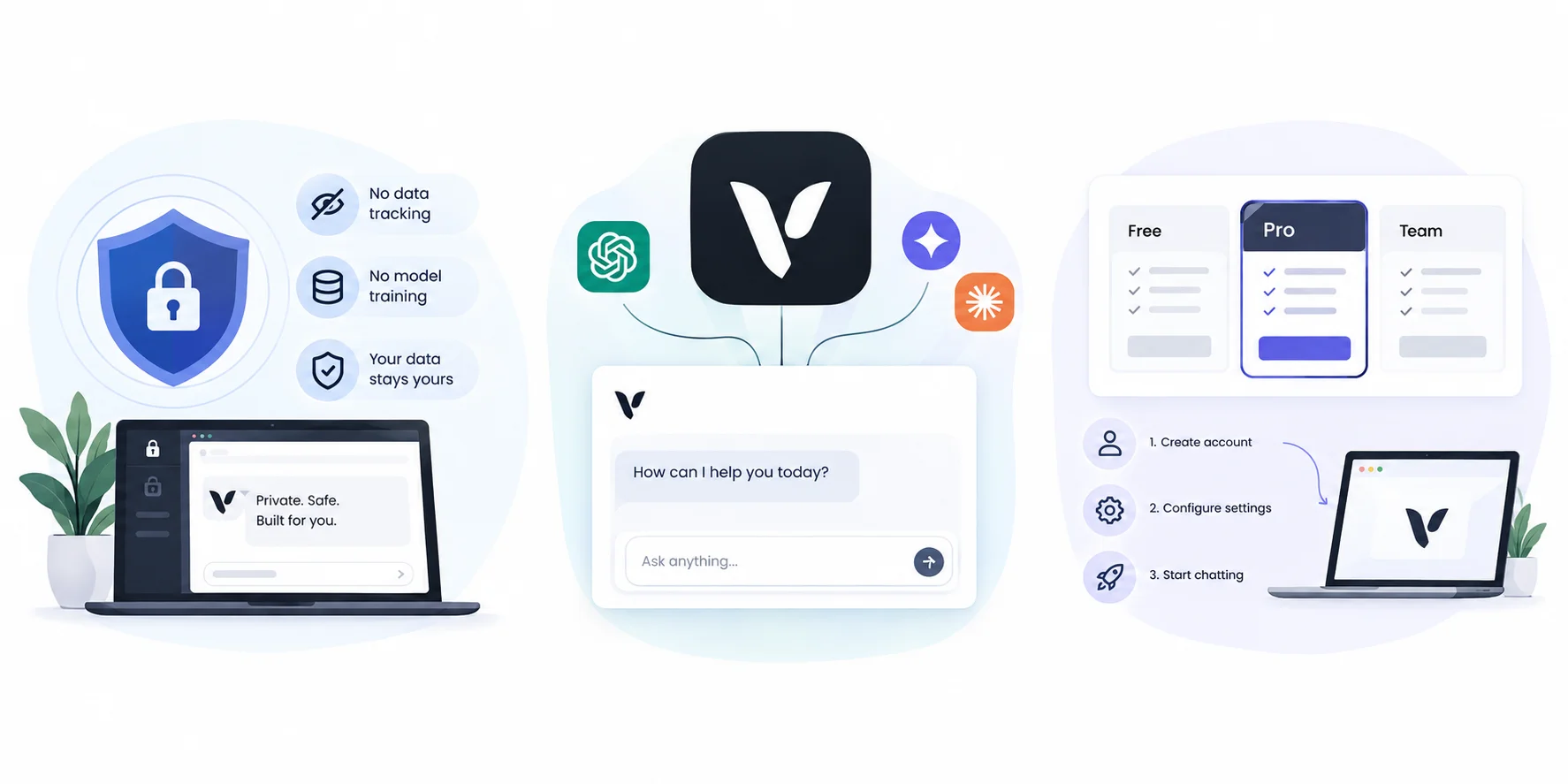
Venice's pitch is simple: your prompts shouldn't end up in somebody's database. But privacy isn't a single switch. It's a ladder, and the model you choose decides which rung you're on. An independent DIY AI review makes this clear, and it's the most useful thing to understand before you type anything sensitive.
The Four Venice AI Privacy Tiers
Venice's homepage describes four levels, running from light to strong.
Treat them like a menu. A recipe idea doesn't need the same shield as a legal draft. Here's how they compare, with the trade-offs the DIY AI review points out.
Tier | Who can see your prompt | Trade-off |
|---|---|---|
Anonymized | The third-party model provider, without your identity | Provider still reads the raw prompt |
Private | Nobody retains it (zero data retention) on self-hosted open-source models | Relies on contracts, not cryptography |
TEE | Only a hardware-isolated enclave (trusted execution environment) | Fewer models, sometimes slower |
End-to-end encrypted | Only the enclave, after decrypting (E2EE explained) | Disables web search, memory and some tools |
What Stays on Your Device (And What Doesn't)
Time for the surprise I mentioned.
Venice keeps your local chat history in your browser, not on its servers. That's great. But it doesn't mean the AI runs on your device. Every prompt still travels through Venice's proxy to remote hardware, as the DIY AI review explains. Venice can also log account events, like creating or deleting a chat.
So "private" doesn't mean "invisible."
Quick tip: check the privacy badge on a model before every sensitive chat. Switching models mid-conversation can change who sees your prompt.
Also, history doesn't sync across devices on its own. Pro users can make encrypted chat backups, but you control the password, and Venice can't recover it if you lose it.
Venice AI Pricing: Free, Pro, Pro+ and Max
Let's talk money.
Venice AI pricing has four rungs, and the jump between them is steep. The free plan lets you test the waters, while paid plans add credits for premium models, video and the API. Everything below comes from Venice's pricing page and homepage, checked on October 14, 2026, plus the free-tier caps from the DIY AI review. Prices change, so double-check before you buy.
Plan | Price per month | Monthly credits | Key inclusions |
|---|---|---|---|
Free | $0 | None | Base models; about 10 text and 15 image prompts per day |
Venice AI Pro | $18 | $1 | All models, unlimited text, up to 1,000 images per day, character creation, API access |
Pro+ | $68 | $75 | Everything in Pro, plus video through credits |
Max | $200 | $225 | Everything in Pro+, highest API limits, priority support |
Yearly billing saves 10%. My take? Start free. Move to Pro if you chat daily. Only jump higher when you have a real video or API workload.
How to Get Started With Venice AI: Step-by-Step
Ready to try it?
Good news: setup takes about five minutes, and the homepage says you don't need a credit card to start. Below is the order I'd follow, because a few small choices early on (like checking privacy badges) save you headaches later. Follow the steps, and you'll be chatting privately in no time.
Before You Start
Quick prep first.
Decide what you want to do, like writing, images or coding. Then decide how sensitive the material is. That single decision tells you which privacy tier to pick in step two. Also, your history lives in your browser, so stick to one browser you trust.
The 5-Step Venice AI Setup
Go to venice.ai and click Sign Up. Or grab the iPhone app.
Open the model picker and check each model's privacy badge.
Write your first prompt. For sensitive work, choose a TEE or E2EE model.
Add a custom system prompt if you want to steer how the AI behaves.
On Pro? Create an encrypted backup so you don't lose your chats.
That's it. Simple, right?
Venice AI VVV and DIEM Tokens
Here's the part that confuses newcomers.
Venice has crypto tokens, but you don't need them to use the app. They offer an alternative to pay-per-use billing, mostly for developers and AI agents. I'll keep this simple, and I'm not giving investment advice. Think of it as a different way to pay for AI inference.
What Does the VVV Token Do?
The VVV token launched on the Base network in January 2025, with no presale, according to Forklog.
Staking it earns you a daily share of API capacity, plus yield. Decrypt calls it an access token, not a payment token. Supply figures differ between outlets, though, so if you write about it, name your source.
What Is the DIEM Token?
The DIEM token builds on VVV.
You mint it by locking staked VVV. Per Decrypt, each DIEM represents $1 of API credit per day, and burning it unlocks your VVV. Meanwhile, the Venice docs also list x402, which lets agents pay per request in USDC without an account. Crypto-savvy builders will like that. Casual users can skip it.
Is Venice AI Safe? Pros and Cons
Short answer: mostly, with limits.
Venice has real privacy design behind its claims, yet it isn't magic. Ai Miracle notes that no independent security audit had been published as of spring 2026. So you're trusting Venice's architecture and contracts. Here's what's good and what isn't.
Pros of Venice AI
Let's start with the wins.
The biggest one is control. You choose the model, and you can see how private each one is before you hit send. Add the huge model catalog and a fair Pro price, and you get something rare in consumer AI.
Clear, model-level privacy badges
Zero data retention on private models, plus TEE and E2EE options
One place for text, image, video and audio
An $18 Pro plan that suits heavy users
Cons of Venice AI
Now the honest part.
No tool is perfect, and Venice's trade-offs mostly come from its flexibility. Quality and privacy shift with every model, so you need to stay alert.
Privacy changes depending on the model you pick
No automatic cross-device history
Free limits are tight
"Uncensored" isn't absolute: one review reports moderation was added to the free tier in early 2026
AIDetectPlus gives Venice a harsh verdict, but that company sells a rival tool, so I'd treat it as one critical view
Venice AI vs ChatGPT vs Local AI: Which Should You Use?
Everyone asks this, so let's tackle it head-on.
Venice AI, ChatGPT and local tools like Ollama and LM Studio aim at different readers. ChatGPT is a polished single-vendor assistant. Venice is a flexible gateway with privacy controls. Local AI keeps everything on your machine. Here's how they compare.
Factor | Venice AI | ChatGPT | Local AI |
|---|---|---|---|
Where prompts are processed | Remote hardware, privacy depends on tier | OpenAI's servers | Your own device |
Model choice | 370+ models | OpenAI models | Models you download |
Chat history | Browser only, encrypted backup on Pro | Synced across devices | On your device |
Setup effort | Low | Lowest | Highest |
Pick Venice if you want privacy options and model choice without running anything yourself. Pick ChatGPT if you want the simplest synced experience. Pick local AI if nothing may leave your machine.
Want more options? See our list of the best ChatGPT alternatives. You can also read our ChatGPT vs Claude vs Gemini comparison, since Venice offers models from several of these providers.
Venice AI FAQ
Is Venice AI free?
Yes. The free plan covers base models with about 10 text and 15 image prompts a day, per the DIY AI review. Paid plans start at $18 a month.
Is Venice AI safe?
Mostly. It offers four privacy tiers, but no independent security audit had been published as of spring 2026. Avoid Anonymized models for confidential material.
Does Venice AI store your chats?
By default, chat history stays in your browser, not on Venice's servers. Venice can still log account events, such as creating or deleting a chat.
Is there a Venice AI app?
Yes. Venice has an iPhone app, and its site also lists Android versions.
Can Venice AI generate images?
Yes. The Venice AI image generator can create, edit, upscale and remove backgrounds. Free users get about 15 image prompts a day.
What are VVV and DIEM?
VVV is Venice's access token on the Base network. DIEM is minted by locking staked VVV and represents API credit. Neither is required to use the app.
Final Thoughts on Venice AI
So, is Venice AI worth your time?
If privacy and model variety matter to you, yes, it's worth testing. Start with the free plan, check every privacy badge, and upgrade only when you hit a limit. If you handle regulated or highly sensitive data, get a formal review first.
Found this helpful? Share it with others who might benefit from these insights!
Submit Your AI Tool