
Remaker AI Review vs Top AI Image Editors: Which One Wins?
AI image editing has turned into a genuinely crowded market in 2026; face swappers, art generators, background removers, and full creative suites are all competing for the same fifteen minutes of your attention. Remaker AI is one of the names that keeps coming up in that conversation, usually alongside bigger players like Midjourney, Leonardo, Ideogram, and PixNova. So this is a straightforward, hands-on-informed comparison: what Remaker AI actually does well, where it struggles, how it stacks up against the top AI image editors people are actually using this year, and which tool is worth your time depending on what you're trying to make.
One quick note before we get into it. There's a category of AI photo tools out there built specifically to strip clothing off real photos of real people without consent often marketed under names like Undress AI. I'm not covering or recommending tools in that category here, full stop. Everything below is about legitimate creative and editing tools: face swaps done for fun or marketing, art generation, upscaling, and video creation.
What Is Remaker AI, Exactly?
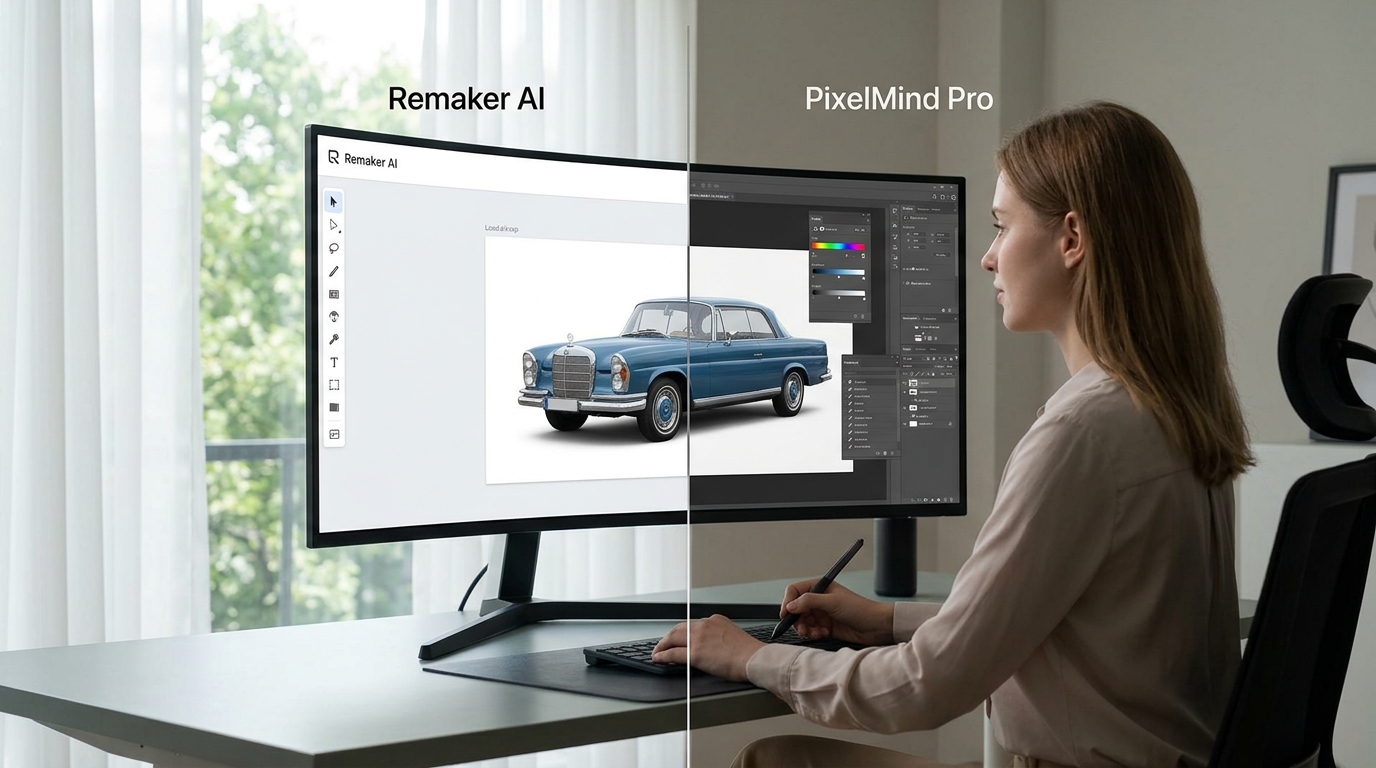
Remaker AI is a browser-based toolkit that bundles together face swap, AI image generation, background and object removal, image upscaling, and some basic AI video tools under one dashboard. It first gained traction in 2024 as a cheap, fast option for face swapping and photo upscaling, and it's stayed fairly popular since because you don't need any design skill to get a usable result upload a photo, click a preset, and you're done in seconds.
Where things get a little murkier is the account and pricing situation, because different reviews published even a few months apart describe genuinely different experiences. Some reviewers report that new accounts still get around 30 free credits to start (plus a handful more for daily check-ins), with a pure pay-as-you-go credit system and no forced monthly subscription. Others, testing more recently in 2026, describe a rockier picture a removed free tier, a period of site downtime, and a shift toward crypto and Telegram-based payment that's made some users understandably cautious. If you're planning to rely on Remaker AI for ongoing work, it's worth checking its current status and payment options directly before committing any money, since this is clearly a tool whose terms have moved around a lot recently.
Remaker AI Features and What Actually Stands Out
Face swap is Remaker's signature feature, and it's genuinely fast two clicks and you're done, on both static images and video clips. This is the tool's biggest selling point: no tutorial needed, no confusing sliders, just upload and go.
AI image generation turns text prompts into images with a simple, intuitive interface, though it's not aiming to compete with dedicated art generators on pure aesthetic quality.
Background and object removal work well for quick edits cleaning up a product photo or removing a distracting element from a portrait.
Image upscaling does a solid job on resolution, though some testers note motion artifacts and slightly detached edges when the same enhancement engine is pushed on video rather than stills.
Basic AI video tools cover short clips and video upscaling, but professional videographers will likely find the options limiting compared to dedicated video platforms.
The Honest Downsides
Feedback on Remaker AI is genuinely mixed depending on where you look. Business-focused review platforms tend to be quite positive, with reviewers praising the speed, clean interface, and consistent output quality. But consumer review sites paint a rougher picture in places, citing a lower overall trust score and an unclaimed business profile the kind of detail that matters if you're deciding whether to hand over payment details. The safest approach: try the free credits first, read recent reviews (not year-old ones), and only commit to a paid credit pack once you've confirmed the current payment process works the way you expect.
PixNova AI Review: The Free Alternative Worth Knowing About
If Remaker AI's recent instability gives you pause, PixNova AI is worth a look as a comparison point. It's a browser-based photo and video editing suite that's positioned itself as entirely free, with no sign-up required for most tools a genuinely different pitch from Remaker's credit-based model.
PixNova covers face swap across photos, GIFs, and videos (including swapping multiple faces in a group shot at once), background removal, image upscaling, an anime/sketch style converter, a headshot generator for LinkedIn-style portraits, and a handful of playful extras like tattoo design and hairstyle previews. Reviewers consistently point to the speed and zero-barrier entry as its biggest strengths, though the trade-off is limited manual control if you want fine-grained customization, you'll outgrow it quickly. It's also not trying to compete with full art generators like Midjourney or Leonardo on artistic quality; its strength is speed and accessibility for everyday, casual edits rather than professional creative production.
Top AI Image Editors Beyond Face Swap: Midjourney, Leonardo, and Ideogram
Neither Remaker AI nor PixNova is built to compete in the "generate a genuinely beautiful piece of art from a text prompt" category. For that, three names dominate the conversation in 2026.
Midjourney still wins on raw artistic quality. It produces images with a distinctive, almost painterly lighting and mood that other models struggle to replicate, which is why it remains the default choice for concept art, editorial imagery, and high-impact campaign visuals. Its main friction points are a Discord-first workflow that some users find clunky and a lack of a straightforward public API for developers.
Leonardo AI is the go-to for game and character art, with a generous free daily credit allowance that makes it one of the more accessible serious tools on this list. It's particularly strong for teams that need one broad image-production workspace with repeatable settings across a project, rather than one-off generations.
Ideogram solved a problem that plagued nearly every image generator for years: legible text inside generated images. Where older tools produced garbled or misspelled text, Ideogram's more recent versions hit accuracy rates in the 90%+ range, making it the clear pick for posters, social ads, app mockups, and packaging design where readable typography actually matters. It also offers a usable free tier, which lowers the barrier to trying it.
Between these three, there isn't a single "best" professionals increasingly combine two or three tools rather than picking one, using Midjourney for mood and finished aesthetic, Ideogram when text needs to be readable, and Leonardo when they need consistent characters or game assets across many generations.
Remaker AI vs Top AI Image Editors: Which One Actually Wins?
It depends entirely on what you're making.
Fast face swaps, memes, or quick social content → Remaker AI or PixNova, since neither requires any real skill and both finish in seconds. PixNova currently has the edge if you want to avoid credit-purchasing friction altogether.
Genuine artistic image generation → Midjourney, for the finished "looks like real art" quality.
Marketing graphics with actual readable text → Ideogram, hands down.
Game assets, concept art, or consistent characters across a project → Leonardo.
A single all-in-one utility box for everyday photo fixes → Remaker AI's broader tool spread (upscaling, background removal, basic video) makes it convenient if you don't want to juggle five separate apps, provided you're comfortable with its current payment setup.
There's no single winner across every category, and any article that claims otherwise is oversimplifying a market that genuinely rewards using more than one tool.
Beyond Still Images: Where AI Video Tools Fit In
If your work extends past static photos, it's worth knowing the video-generation landscape looks quite different from the image-editing one, and several of the tools people search alongside Remaker AI actually belong here instead.
Kling AI has built a strong reputation in 2026 for affordable, realistic human motion and multi-shot sequences with consistent subjects across different camera angles a genuine technical step forward. It's also one of the cheapest options per generated second, which makes it a favorite for high-volume social content.
Pika AI leans into stylized, effect-driven short clips rather than photorealism. If you want playful transformations and effects more than cinematic polish, Pika's lower entry price and simple interface make it the budget-friendly pick.
Runway AI remains the choice for professional, directed video work strong control over shots and consistency, tied closely to its own ecosystem, at a higher price point that reflects its more serious production use case.
Hailuo AI is frequently recommended as the free option to explore first, with a genuinely usable free tier for testing quality before you spend anything.
Higgsfield AI takes a different approach entirely, bundling access to several underlying video models (rather than building just one) alongside cinematic camera controls and motion effects, positioning itself as a creator platform more than a single-model tool.
None of these directly compete with Remaker AI's face-swap-and-photo-editing niche, but if your workflow is expanding into video content, it's worth testing the free tiers of two or three of these rather than assuming your photo editor's video features will scale to serious production work.
AI Avatar Video: HeyGen AI Review vs Synthesia AI Review
A separate but related category worth mentioning is AI avatar video talking-head presenters generated from a script rather than a camera. This isn't the same thing as Remaker's face swap, but people researching one often end up comparing the other.
HeyGen AI leads on avatar realism and expressiveness, with natural micro-expressions and one of the largest language libraries for video translation and voice cloning. It's the stronger pick for marketing and social content where a lifelike presenter matters most.
Synthesia AI is built for enterprise training and internal communications, with a more structured editor, broader compliance features, and typically better predictability on cost per finished minute at entry-level plans.
Neither is objectively "better" the honest answer is that HeyGen wins for expressive marketing content, and Synthesia wins for governed training and compliance-heavy use cases. Worth testing both free tiers before committing to either.
AI Chatbots Worth Knowing About in 2026
Since image and video tools rarely operate in isolation these days, it's worth a quick word on the general-purpose AI assistants people often pair them with for prompts, captions, and creative direction.
ChatGPT remains one of the most widely used AI chatbots globally, with strong general writing, reasoning, and now-integrated image generation directly in the app.
Claude AI is frequently praised for coding assistance and longer-form writing, with a straightforward free tier and a $20/month Pro plan that's become the standard price point across most major assistants this year.
Google Gemini stands out for its deep integration across Gmail, Docs, and Android, plus a genuinely capable free tier a natural fit if you're already living in Google's ecosystem.
Perplexity AI functions less like a chatbot and more like a research partner: it reads the live web and returns cited, sourced answers rather than just generated text, making it the stronger pick for fact-checking and research over general creative writing.
DeepSeek AI has become the standout budget option for developers, offering a free web chat interface alongside extremely low-cost API pricing genuinely one of the most cost-effective ways to access frontier-level reasoning if you're comfortable with a less polished interface.
If you're already using an AI chatbot for prompt writing or captions, pairing it with whichever image or video tool fits your project is usually more effective than searching for one single tool that does everything.
Finding More Tools: AI Tools Directories Worth Bookmarking
Given how fast this space moves Remaker AI's own pricing model has shifted multiple times in the past year alone it genuinely helps to have a go-to AI tools directory rather than relying on any single review staying accurate for long. A good AI tools directory lets you browse by category (image, video, writing, coding), filter by free vs paid, and see real user ratings rather than just vendor marketing copy. Several directories now also let smaller or newer tools submit an AI tool for listing, which is often how lesser-known but genuinely useful options like PixNova first got wider attention. If you're building out a personal toolkit, browsing two or three directories side by side and cross-checking user reviews tends to surface better picks than trusting a single "best AI tools" ranking article at face value including, to be fair, this one.
AI Tools for Business and Marketing
For teams rather than individual creators, the calculus shifts a bit. AI marketing tools built around image and video generation are increasingly used for ad creative, product photography cleanup, and social content at a volume that would be impractical to produce manually. The tools covered above Remaker AI and PixNova for quick photo work, Kling or Pika for short-form video ads, HeyGen for multilingual product explainers all show up regularly in marketing team stacks specifically because they cut production time down from days to minutes.
The best AI tools for business in this space tend to share a few traits: predictable pricing (a real weakness for Remaker AI right now, given its shifting payment model), commercial usage rights that are clearly stated rather than buried in fine print, and output quality consistent enough that a team doesn't spend more time fixing AI mistakes than they saved by using AI in the first place. Before committing a marketing budget to any one tool, it's worth reading the current commercial-use terms directly on the vendor's site, since free tiers on nearly every platform in this space explicitly exclude commercial use.
The Rise of AI Search Optimization: AI SEO Tools and AI Visibility
There's a newer, related category worth a brief mention if you're producing content alongside these image and video tools: AI search optimization tools, sometimes called AI visibility tools. These track how often your brand or content actually gets cited inside AI-generated answers from ChatGPT, Perplexity, or Google's AI Overviews, rather than just traditional search rankings. As more searches end in a direct AI answer instead of a list of links, AI SEO tools have become a genuine, if still early-stage, category the underlying discipline is often called Generative Engine Optimization (GEO), and it's built around the same principle Google's spam updates keep reinforcing: clear, accurate, genuinely useful content earns citations, while thin or manipulative content doesn't. If you're publishing reviews or comparisons like this one, that's the actual throughline connecting AI visibility tools and the content you're creating usefulness is what gets you found, in search and in AI answers alike.
A Quick Decision Guide
If you'd rather skip straight to a recommendation based on your actual project, here's the short version:
Making a quick meme or swapping a face for fun → PixNova AI first, Remaker AI second (check current payment terms before paying).
Need a poster, ad, or app mockup with readable text → Ideogram.
Want the most artistically striking output for a portfolio or campaign → Midjourney.
Building game assets or need consistent characters across dozens of images → Leonardo AI.
Producing short-form video ads on a budget → Kling AI or Hailuo AI's free tier.
Need a multilingual talking-head presenter for training or product videos → HeyGen for marketing polish, Synthesia for enterprise compliance.
Want one AI chatbot to write your prompts and captions → ChatGPT or Claude for general writing, Perplexity if you need cited research, DeepSeek if budget is the deciding factor.
This is also, honestly, the best general approach to AI tools in 2026: rather than searching for one tool that claims to do everything, most experienced users keep a small rotation of two or three specialists and switch between them depending on the job. Free tiers exist on nearly every platform mentioned in this article specifically so you can test that fit before spending anything use them.
The Bottom Line
Remaker AI is a genuinely useful, fast utility for face swaps and quick photo edits, but its recent instability around pricing and payments means it's worth double-checking current terms before you rely on it for ongoing work. PixNova is the stronger pick right now if a stable, genuinely free option matters more to you than brand recognition. For real artistic image generation, Midjourney, Leonardo, and Ideogram each win in their own lane, and none of them are direct substitutes for what Remaker AI does. The honest answer to "which one wins" is that there isn't one tool that wins everything pick based on the specific job in front of you, and don't be afraid to keep two or three of these open in different tabs.
Frequently Asked Questions
Is Remaker AI free to use?
Reports vary depending on when the review was published. Some more recent accounts describe a removed free tier and a shift toward crypto-based payment, while others describe an active free-credit system with 30 starting credits plus daily bonuses. Check the platform directly before assuming either is currently accurate.
Is PixNova AI actually free, or is there a catch?
PixNova markets itself as fully free with no sign-up for most tools, and multiple independent reviews confirm this holds for core features like face swap, upscaling, and background removal. Longer video generation is the main feature locked behind a paywall.
Which is better for artistic image generation: Midjourney, Leonardo, or Ideogram?
None wins outright Midjourney leads on finished aesthetic quality, Leonardo on game/character art and free daily credits, and Ideogram on legible text inside images. Most serious creators use two or more of these together rather than picking just one.
Do I need a separate video tool if I'm already using a photo editor like Remaker AI?
Generally yes. Remaker AI's video features are basic compared to dedicated platforms like Kling, Runway, or Pika, which are built specifically for video generation rather than as an add-on to a photo tool.
What's the difference between an AI chatbot and an AI image editor?
Chatbots like ChatGPT, Claude, and Gemini generate and reason over text (and increasingly images), while dedicated image editors like Remaker AI, PixNova, Midjourney, and Ideogram are purpose-built for visual generation and editing. Many creators use both together a chatbot for prompts and captions, an image tool for the visual output.
Where can I find more AI tools like these?
A dedicated AI tools directory is generally more reliable than a single ranking article, since directories update more frequently and let you filter by category, price, and user rating. Look for ones that clearly separate free tools from paid ones and allow newer tools to submit for listing.
Found this helpful? Share it with others who might benefit from these insights!
Submit Your AI Tool