
The best face swap apps overall in 2026 is YouCam Video for high-fidelity 4K blending, Reface is the top pick for fun viral memes, DeepSwap leads for video realism, and Remaker AI is the best budget option. Below, I break down all seven tools I tested, a step-by-step how-to, and the consent rules you need to follow.
You've seen them everywhere — your favorite celebrity suddenly has your best friend's face, or your own face is dropped into a movie scene, and it looks scarily real. That's the magic (and the mess) of face swap apps, and honestly? I've spent way too many hours testing them. So let's dig in, together, and I'll show you exactly which tools are worth your time in 2026, how they actually work, and — this part matters — how to use them without crossing a line you can't uncross.
What Is a Face Swap App, Really?
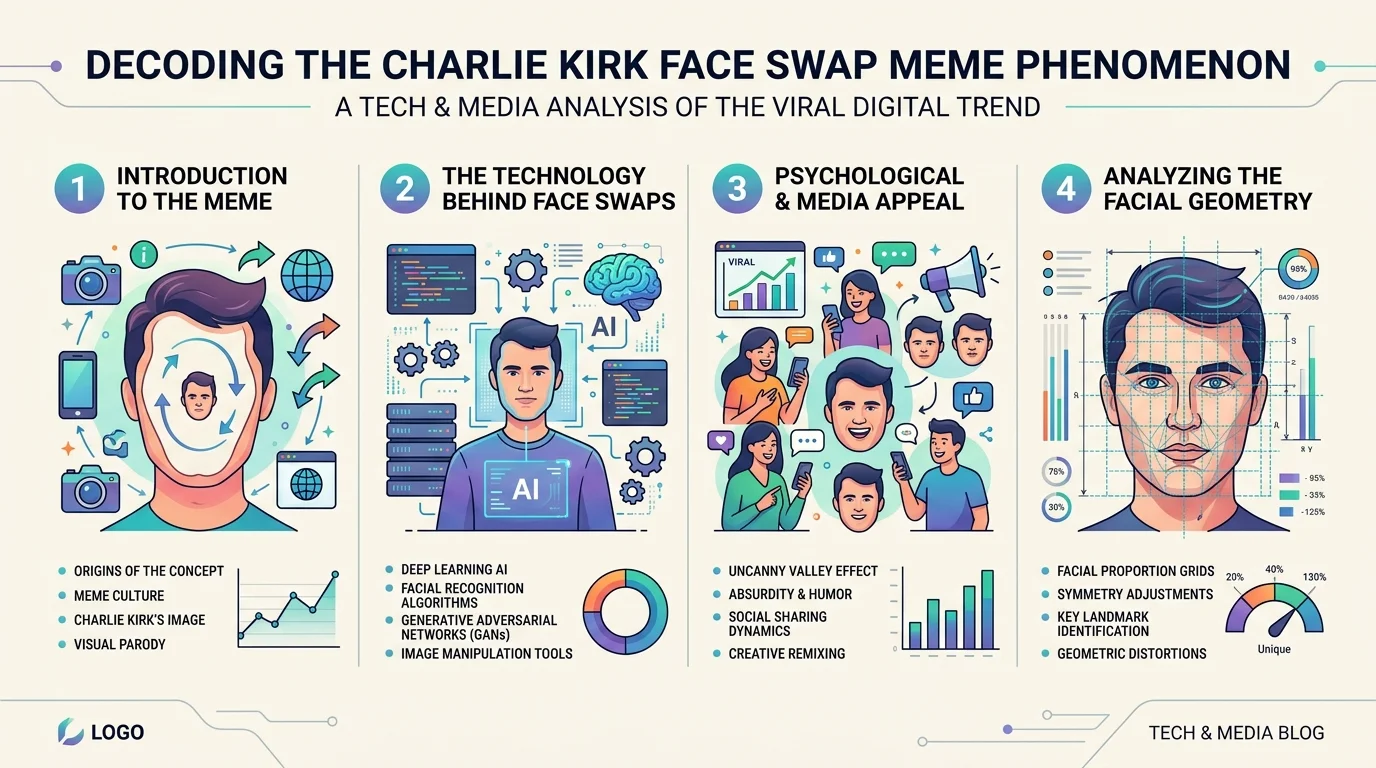
Here's the short version. A face swap app uses deep learning to detect a face in one photo or video, then map and blend it onto another. Think of it like digital face transplant surgery, minus the surgery.
The process usually breaks down into four steps: detect, map, replace, blend. And the blending step? That's where the good apps separate themselves from the junk ones — matching skin tone, lighting, and expression is what makes a swap look real instead of "pasted on."
How Face Swapping Actually Works (No, It's Not Magic)
I get this question constantly, so let me break it down simply.
Modern AI face swap tools rely on generative adversarial networks (GANs) or diffusion-based models trained on thousands of facial images. The software identifies key facial landmarks — eyes, nose, jawline, mouth — and warps the source face to match the target's angle, lighting, and expression.
Honestly, that's why quality varies so wildly between apps. Some prioritize speed. Others prioritize realism. A few try to do both, and most of them fail at one or the other.
The Best Face Swap Apps in 2026 (Tested & Ranked)
I'm not going to bury the lede here. Below are the tools that actually deliver, based on hands-on testing and cross-checked reviews.
1. Reface — Best for Viral, Fun Swaps
If you just want to have a laugh and drop your face into a meme template, Reface is still the go-to. It's fast, mobile-first, and loaded with trending templates, and it remains a top pick for viral social content in 2026.
2. YouCam Video — Best Overall for High-Fidelity Results
For genuinely polished output, YouCam Video stands out in 2026 for its high-fidelity 4K neural blending and ease of use. You upload a video, add your reference face, and it handles the rest in a few taps.
3. DeepSwap — Best for Video Realism
Want your swap to hold up frame-by-frame in a full video, not just a static photo? DeepSwap is consistently rated strong on video realism. It's not free, but the quality justifies the price tag if video is your focus.
4. Remaker AI — Best Budget Pick
Tight budget? Remaker AI is a solid choice when budget is a major constraint. I've covered this tool in more depth in my Remaker AI review, where I compare it directly against other AI image editors.
5. Magic Hour — Best for Multi-Face Swaps at Scale
If you're editing group photos or need to swap several faces at once, Magic Hour produces realistic swaps for both photos and videos while preserving lighting direction, facial proportions, and skin texture. That's a genuinely underrated feature — most apps choke on multi-face images.
6. FaceApp — Best for Filters, Not Full Swaps
I want to be straight with you here: FaceApp is more of a face editor than a true swapper. Its aging, gender swap, and smile filters are still best in class, while true face swapping onto a different body or scene is limited compared to dedicated swap apps. Grab it for filters — skip it if full swaps are your goal.
7. B612 — Best for Social Media Sharing
If posting straight to Instagram or TikTok is your priority, B612 is built for people who want to share face swaps directly to social media, with added music and virtual makeup features.
For a deeper dive into the broader AI image generation landscape these tools sit inside of, check out my AI image generator guide.
Face Swap App Comparison Table
App | Best For | Photo/Video | Free Tier | Standout Feature |
|---|---|---|---|---|
Reface | Viral memes | Both | Yes (watermarked) | Huge trending template library |
YouCam Video | Overall quality | Video | Limited | 4K neural blending |
DeepSwap | Video realism | Video | Trial only | Frame-consistent tracking |
Remaker AI | Budget users | Both | Yes | Low cost, solid output |
Magic Hour | Multi-face swaps | Both | Yes | Preserves lighting across faces |
FaceApp | Filters, not swaps | Photo | Yes | Best-in-class aging/gender filters |
B612 | Social sharing | Photo | Yes | Direct social export + music |
Step-by-Step: How to Swap Faces Like a Pro
Alright, let's get practical. Here's exactly how I do it, every time:
Pick your app based on your goal — meme (Reface), polish (YouCam Video), or budget (Remaker AI).
Upload a clear, well-lit source photo. Blurry or shadowy images = bad swaps. Every time.
Choose your target photo or video. Under 15 seconds works best on free video plans.
Align the face detection box if the app asks you to confirm it manually.
Preview before exporting. Check the edges around the jaw and hairline — that's where fakes usually show seams.
Export and watermark-check. Some free tiers slap a watermark on your output; know that before you commit.
Not bad, right? Takes maybe five minutes once you've done it a couple of times.
Ethics and Consent: The Part Nobody Wants to Talk About (But Should)
Look, I have to say this clearly, because it matters more than any feature comparison: face swap technology is not a toy when it involves someone else's likeness.
AI face swapping becomes harmful when it's used without consent, and in 2026 several platforms have added consent prompts and mandatory content watermarking, with some jurisdictions passing laws specifically targeting non-consensual deepfakes. That's not a footnote — that's the whole ballgame.
A few non-negotiable rules I follow, and you should too:
Only swap faces of people who've consented — friends, family, yourself, public domain templates.
Never use a swap to deceive, harass, or impersonate someone for financial or reputational harm.
Disclose AI-generated content when sharing publicly. Under the 2026 AI Act, you're required to disclose if a video is AI-generated, and using someone's likeness without consent for commercial or malicious purposes is strictly prohibited.
Check the app's data policy. Reputable platforms clearly state their data retention practices — if it's hidden in legal jargon, that's a red flag, no matter how good the app looks.
I know that might feel like a buzzkill in a "fun app roundup." But trust me — the apps that survive long-term are the ones building consent and transparency into their core product, not bolting it on after a scandal.
Which Face Swap App Should You Actually Download?
Here's my honest, no-fluff take:
Just want to laugh with friends? Grab Reface.
Need the sharpest, most realistic output? Go with YouCam Video.
Working on a full video project? DeepSwap is worth the subscription.
On a tight budget? Remaker AI — and read my full comparison before you commit.
Editing group shots? Magic Hour handles multi-face swaps better than anything else on this list.
Whichever you pick, download it, run one test swap on a photo of yourself, and see how the blending holds up around the edges. That single test tells you almost everything you need to know about an app's quality.
Frequently Asked Questions
Is face swapping legal?
Yes, for entertainment, satire, and creative projects. However, disclosure rules apply — under the 2026 AI Act, you must disclose when a video is AI-generated, and using someone's likeness without consent for commercial or malicious purposes is prohibited.
Which face swap app is safest for privacy?
Look for apps with clear, plain-language data retention policies and automatic photo deletion. Avoid any platform whose privacy terms are buried in legal jargon — that's a reliable red flag regardless of output quality.
Can I face swap for free?
Yes. Reface, Remaker AI, Magic Hour, FaceApp, and B612 all offer usable free tiers, though most add watermarks or daily credit limits on the free plan.
Do face swap apps work on both photos and videos?
Most modern apps support both. Photo swaps are faster to process, while video swaps require frame-by-frame tracking to keep motion and lighting consistent — that's why fewer apps do video well.
Wrapping This Up
Face swap apps in 2026 are more capable, faster, and honestly more fun than they've ever been. But capability comes with responsibility — the same tech that turns you into a movie character for a laugh can, in the wrong hands, cause real harm. Use it thoughtfully, get consent, disclose when it matters, and you'll get all the fun with none of the fallout.
Found this helpful? Share it with others who might benefit from these insights!
Submit Your AI Tool