
A spin the wheel generator is a free online tool that turns any list of names, numbers, or choices into a spinning wheel, then randomly selects one option when you hit spin. People use it for classroom picks, giveaways, raffles, and everyday decisions like "what's for dinner." In this guide, I'll break down how these tools work, compare the best ones, and show you exactly how to set one up in under a minute.
I've tested more than a dozen spin the wheel generators over the past few weeks, and I want to show you exactly what I found.
Here's the thing: picking a random wheel spinner shouldn't be complicated. But with so many tools out there, it's easy to waste time on clunky, ad-stuffed options that barely work. If you've ever explored other browser-based utilities like a css gradient generator, you already know how much a clean, no-fuss tool matters.
So today, I'm breaking down everything you need to know about wheel spinner tools — what they are, how they work, and which ones actually deserve your time.
Let's dive in.
What Is A Spin The Wheel Generator?
Okay, let's start simple.
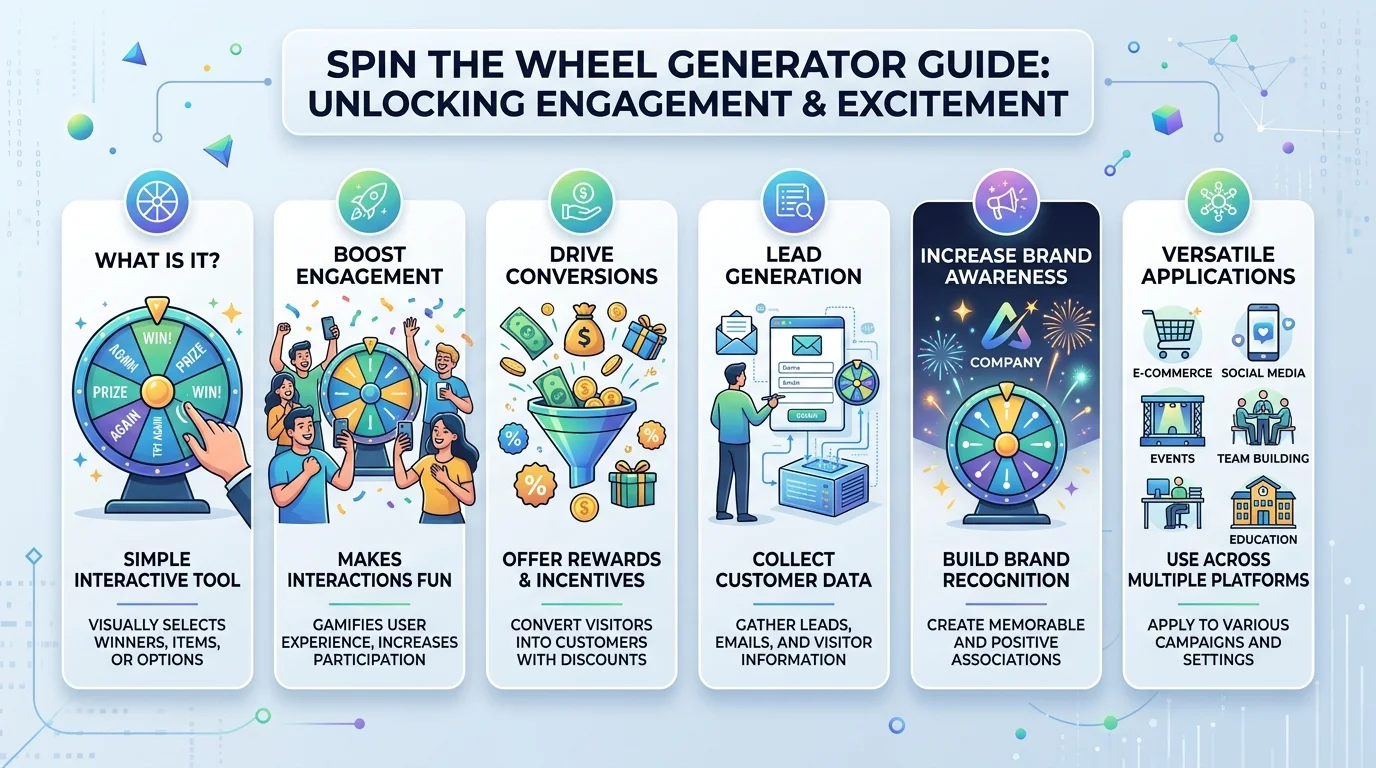
A spin the wheel generator is a digital tool that turns your list of options into a colorful wheel. You add your entries, hit spin, and a pointer lands on a random winner.
That's it. No coin flips. No arguments about who goes first.
Honestly, the concept isn't new. The "Wheel of Fortune" symbol goes back to medieval philosophy, and it later became a household name through the TV game show that first aired in 1975. As of 2026, digital versions of this idea are used daily by teachers, marketers, and streamers as a fully customizable random wheel picker.
You type in your options. The tool builds the wheel slices automatically. And within seconds, you've got a fair, visual, and honestly kind of thrilling way to make a choice.
How Does A Random Wheel Spinner Actually Work?
I know what you're thinking — is this thing actually random, or is it rigged?
Great question. Let's clear it up.
Most modern tools rely on a randomization algorithm to pick your winner. Some go even further, using cryptographically secure number generation so every spin is genuinely unbiased and unpredictable. Others use a physics model-based simulation, where the spin power itself is randomly assigned so no two spins ever feel identical, as explained on Wheel of Names.
Here's a quick step-by-step of what happens behind the scenes:
You enter your list of names, numbers, or choices.
The tool divides your entries into equal (or weighted) segments.
You hit spin, and the wheel accelerates then decelerates.
A pointer lands on a slice — and that's your random result.
Simple, right? And that simplicity is exactly why it works so well.
Why You Should Use A Wheel Spinner (Instead Of Just Guessing)
Look, I get it. You could just close your eyes and pick something.
But here's why that's a mistake.
A decision wheel removes bias completely. Nobody can accuse you of favoritism when a fair random selection tool made the call. That's a big deal if you're running a classroom, hosting a giveaway, or settling a debate with friends.
Plus, it's just more fun. There's something about watching that pointer tick past every option that builds real suspense — way more than a boring dice roll.
Use Case #1: Classrooms
Teachers, listen up.
If you're tired of the same alphabetical order every single day, a classroom spinner wheel fixes that instantly.
Load your class roster once, save it, and reuse it. You can use it as a random student picker, a group maker tool, or even a letter picker wheel for spelling games. Students genuinely get more engaged when the outcome feels unpredictable — it turns a passive lesson into something they actually pay attention to.
Use Case #2: Giveaways And Raffles
If you run a business or a social media page, a giveaway wheel spinner is basically a must-have.
It gives you (and your audience) total transparency. Everyone can watch the spin happen live, which builds trust in a way that a hidden "random.org" pick never will. Tools like Woorise's wheel picker are built specifically with marketers and event planners in mind — think prize wheel promos, contest winner selection, and loyalty giveaways.
Use Case #3: Everyday Decisions
This one's my favorite, honestly.
Can't decide what to eat? Build a food wheel. Can't pick a movie? Same deal. This kind of random choice generator takes the mental load off you completely — you just spin, and you commit. It's the same "no more decision fatigue" energy you get from a good free AI photo generator — a tool that just does the thinking for you.
Comparing The Best Spin The Wheel Generators (2026)
I tested each tool below for setup speed, customization, and ease of use. Here's how they stack up.
Tool | Price | Weighted Entries | CSV Import | Best For |
|---|---|---|---|---|
Picker Wheel | Free | Yes | Limited | AI-assisted suggestions, general use |
Wheel of Names | Free | Yes | Yes | Classrooms, raffles |
GoSpinWheel | Free | Yes | Yes (up to 1,100 slices) | Large lists, big rosters |
HeySpinner | Free | Yes | Yes (Excel/Sheets paste) | Fast bulk-entry setups |
SpinnPick | Free | Yes | Yes | Business/team use, secure randomization |
Woorise | Free + paid tiers | Yes | Yes | Marketing giveaways |
My take: if you want the fastest setup with zero learning curve, start with Wheel of Names. If you're managing a big list — like a full class roster or raffle ticket batch — GoSpinWheel or HeySpinner will save you the most time.
Key Features To Look For
Not all online wheel spinners are created equal. Here's what actually matters.
Weighted Entries
You'll want a tool that supports weighted wheel spinner functionality — meaning you can make one option more (or less) likely to win. This is huge for prize wheels where certain rewards should appear less often, as seen in GoSpinWheel's weighted text format.
CSV And Spreadsheet Import
If you're managing a big list — students, employees, raffle tickets — you don't want to type each one manually.
Look for CSV import wheel support. HeySpinner, for instance, lets you copy and paste directly from Excel or Google Sheets, which saves a ridiculous amount of time.
Customization
Colors. Sounds. Images. Emojis.
These aren't just fluff — they make your spinning wheel game feel personal. A well-designed wheel with wheel themes and sounds keeps people engaged, especially during livestreams or classroom sessions.
Spin History
You'll also want a tool that logs your spin history. That way, if you're running a raffle wheel with multiple rounds, you can track every past winner and avoid repeats.
How To Set Up Your First Wheel (Step-By-Step)
Ready to try it yourself? Here's exactly how to do it.
Pick a tool. I'd recommend starting with Picker Wheel or Wheel of Names — both are free and beginner-friendly.
Add your entries. Type them manually, or paste a list from a spreadsheet.
Adjust your settings. Set weights if needed, choose a color theme, and turn on sound effects.
Hit spin. Watch the wheel do its thing.
Save or share. Most tools let you generate a shareable link so others can spin the same wheel remotely.
That's genuinely all it takes.
Frequently Asked Questions
Is a spin the wheel generator really random?
Yes, in most cases. Reputable tools use a randomization algorithm — and some, like SpinnPick, use cryptographically secure random number generation — so results aren't predictable or riggable.
Can I use a wheel spinner for free?
Almost all the tools listed above are free, including Picker Wheel, Wheel of Names, GoSpinWheel, HeySpinner, and SpinnPick. Some, like Woorise, offer optional paid tiers for advanced marketing features.
Can I use it on my phone?
Yes. Most of these tools run directly in your mobile browser, and several — like the Google Play and App Store "Spin The Wheel" apps — also offer dedicated mobile apps.
How many entries can I add to a wheel?
This depends on the tool. GoSpinWheel, for example, supports up to 1,100 slices per wheel, which makes it a solid choice for large groups or big raffles.
Can I control the odds so one option wins more often?
Yes — this is called a weighted wheel spinner. You assign a higher weight to certain entries so they appear more (or less) frequently in the results.
My Honest Take
I've tried a bunch of these tools, and here's my bottom line: a good wheel spinner should feel instant, fair, and a little bit fun.
If you're running giveaways, teaching a class, or just trying to end a group argument about lunch — this is one of those rare tools that's both practical and genuinely enjoyable to use.
My pick for most people: start with Wheel of Names for simplicity, or GoSpinWheel if you're working with a big list.
So don't overthink it. Pick a tool, load your list, and spin.
You'll be surprised how much easier decisions get when you let the wheel decide.
Found this helpful? Share it with others who might benefit from these insights!
Submit Your AI Tool